Knowledge gaps
A knowledge gap is a customer question your help content didn’t answer. Instead of guessing, your agent says it doesn’t know, and the question lands here so you can write the answer once.
Open Knowledge → Gaps.
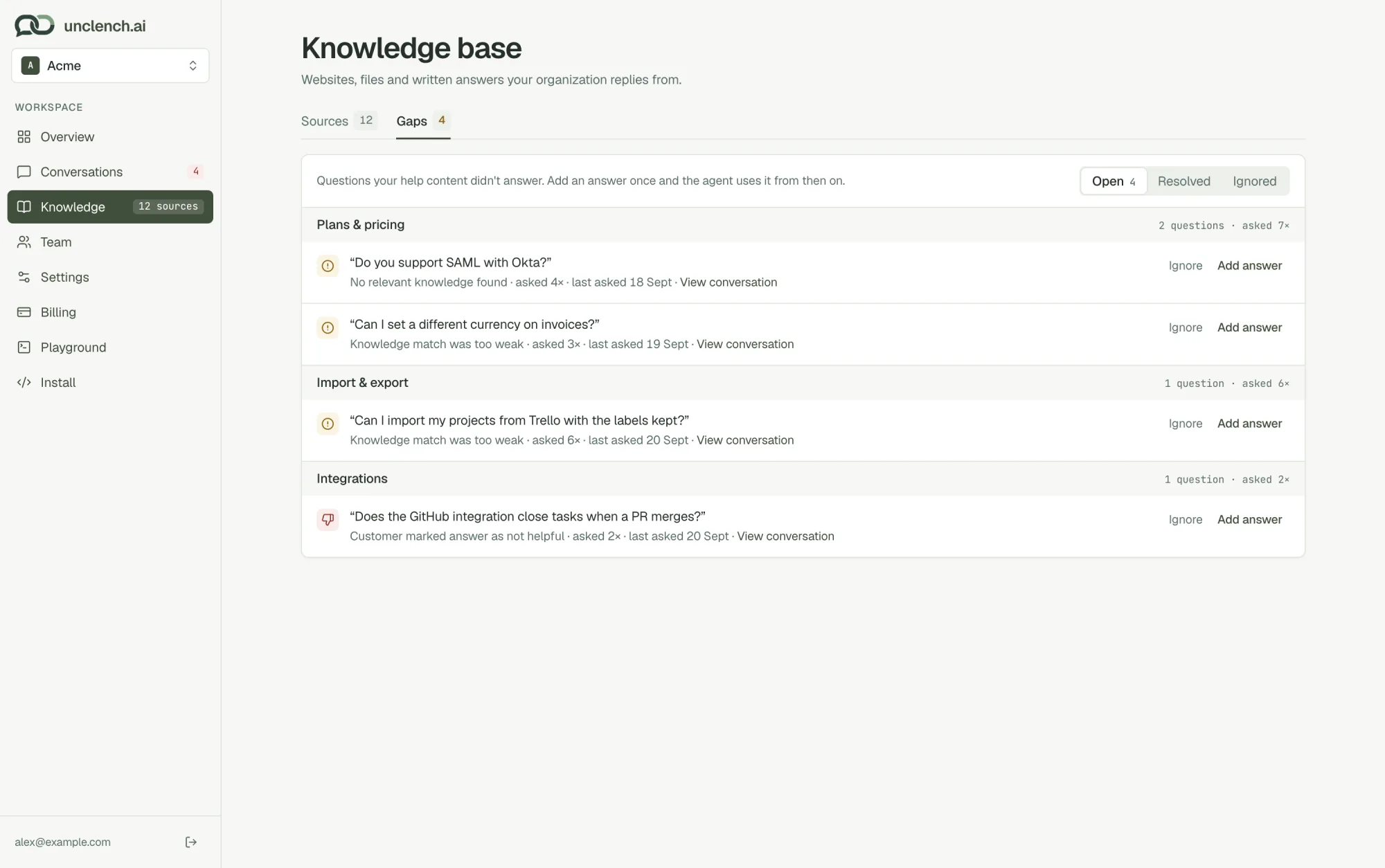
What ends up here
A question becomes a gap when:
- No relevant knowledge found. Nothing in your content is about it.
- Knowledge match was too weak. Something related exists, but not close enough to answer from.
- Help content doesn’t cover this detail. The topic is covered, but not the specific thing they asked.
- Customer marked answer as not helpful. They pressed the thumbs down on a reply.
- Answer generation failed. Something went wrong on our side while replying.
Only real customer questions count. Test questions from the Playground never show up here, and neither do “thanks!” messages.
How they’re ranked
The same question asked by several people is grouped into one row, with a count (“asked 6×”). Questions are grouped by topic, with the most-asked topics first, so the top of the list is always what’s worth fixing next.
Each row shows why it was flagged, how many times it was asked, when it was last asked, and a link to the conversation.
Fixing a gap
- Add answer. Write the answer in plain words. It’s saved as new help content and your agent uses it from then on. The gap moves to Resolved.
- Ignore. For questions you don’t want to answer, like spam or something off-topic. The gap moves to Ignored.
Either way, conversations that were flagged only because of that question stop needing attention.
You can also fix a gap from inside a conversation, where it appears next to the reply that missed.