Plans and billing
Open Billing to see your plan, what you’ve used this period, and to change or cancel. Billing is open to owners and admins.
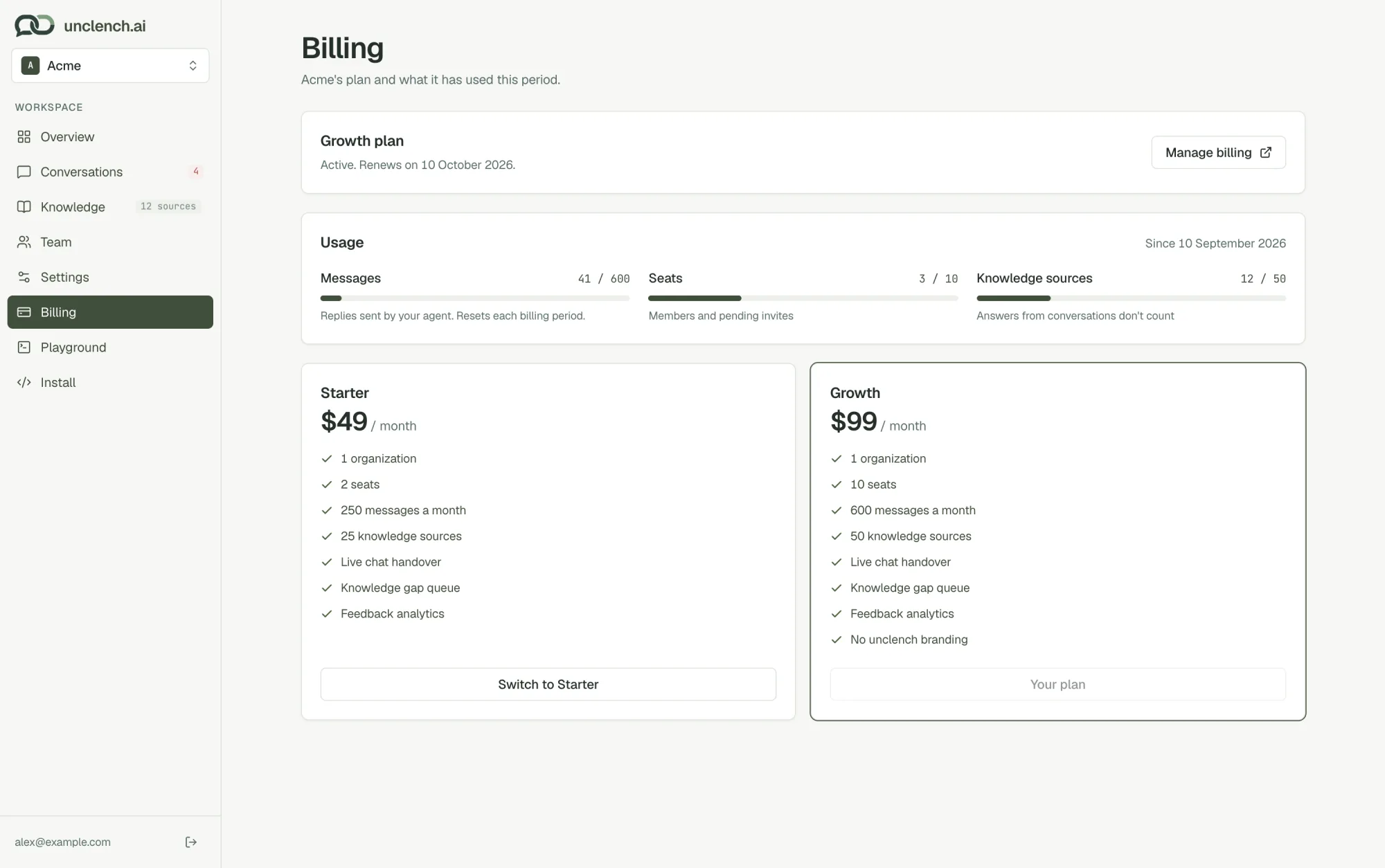
Plans
| Starter | Growth | |
|---|---|---|
| Price | $49 / month | $99 / month |
| Seats | 2 | 10 |
| Agent replies each month | 250 | 600 |
| Knowledge sources | 25 | 50 |
| Live chat handover | ✓ | ✓ |
| Knowledge gap queue | ✓ | ✓ |
| Remove “Powered by unclench.ai” | ✓ |
Both plans start with a 7-day free trial. Choose Start 7-day free trial on the plan you want.
What counts
- Messages are replies your agent sends to real customers. Your team’s replies and Playground tests don’t count. The count resets each billing period.
- Seats are teammates plus pending invites.
- Knowledge sources: a whole website counts as one. Answers written from knowledge gaps don’t count.
Before you pick a plan
You can set everything up and test in the Playground, but the chat won’t show on your site until your workspace has a plan. A banner in the console reminds you.
When you reach your message limit
The chat is paused on your site, including any chats in progress, and the owner gets an email. It comes back at the start of your next billing period, or straight away if you upgrade. There are no surprise overage charges.
Change plan, card or invoices
- Switch to Starter / Switch to Growth changes your plan.
- Manage billing opens the billing portal, where you can update your card, see invoices and cancel.
Cancelling
Choose Manage billing and cancel in the billing portal. Your plan keeps running until the end of the period you’ve paid for, then the chat goes offline. Your help content and conversations are kept, so you can pick up where you left off.
If a payment doesn’t go through, the chat goes offline until it’s fixed and the owner gets an email. Choose Update payment method on the Billing page to fix it.