Schedule
Open Settings → Schedule to choose when your agent answers.
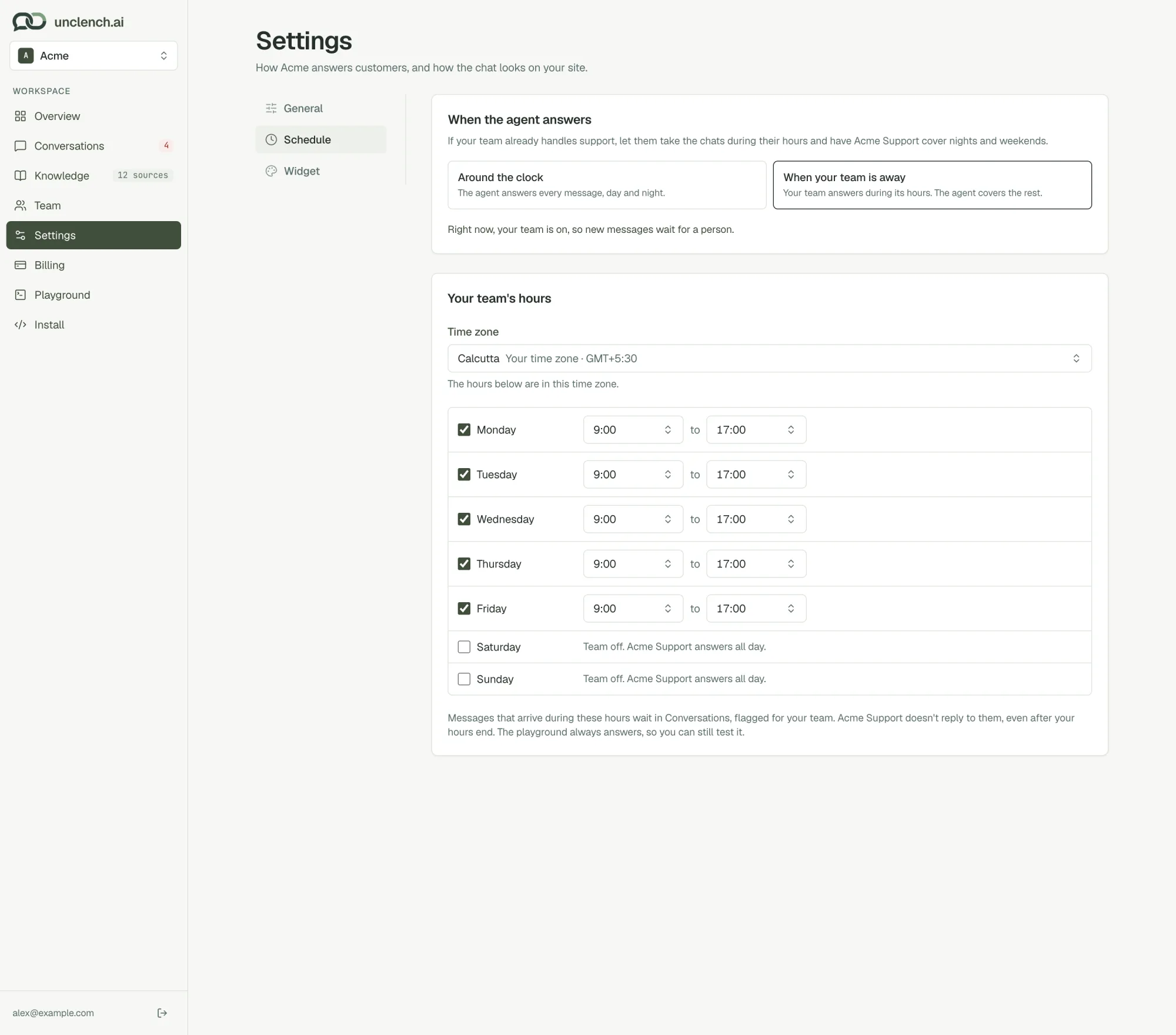
Around the clock
Your agent answers every message, day and night. This is the default and suits most small teams.
When your team is away
Your team takes the chats during its hours, and your agent covers nights and weekends.
- During your hours, new messages wait for a person. Your agent doesn’t reply, and the chat is flagged for your team.
- Outside your hours, your agent answers as normal.
Set your hours:
- Pick your Time zone. The hours below use it.
- Tick the days your team works, and set a start and end time for each. New schedules start as Monday to Friday, 9:00 to 17:00.
- Days you leave unticked are covered by your agent all day.
- Choose Save changes.
A line under the options tells you who’s answering right now.
A message sent during your hours is for your team, so it waits for them even after your hours end. To let your agent pick it up, open the chat and choose Hand back.
The Playground always answers, whatever your schedule, so you can test at any time.
Last updated on