Your agent
Your agent is the one answering in the chat. Open Settings → General to change how it introduces itself and how it talks. When you change something, a bar appears at the bottom of the page; choose Save changes to keep it or Discard to undo.
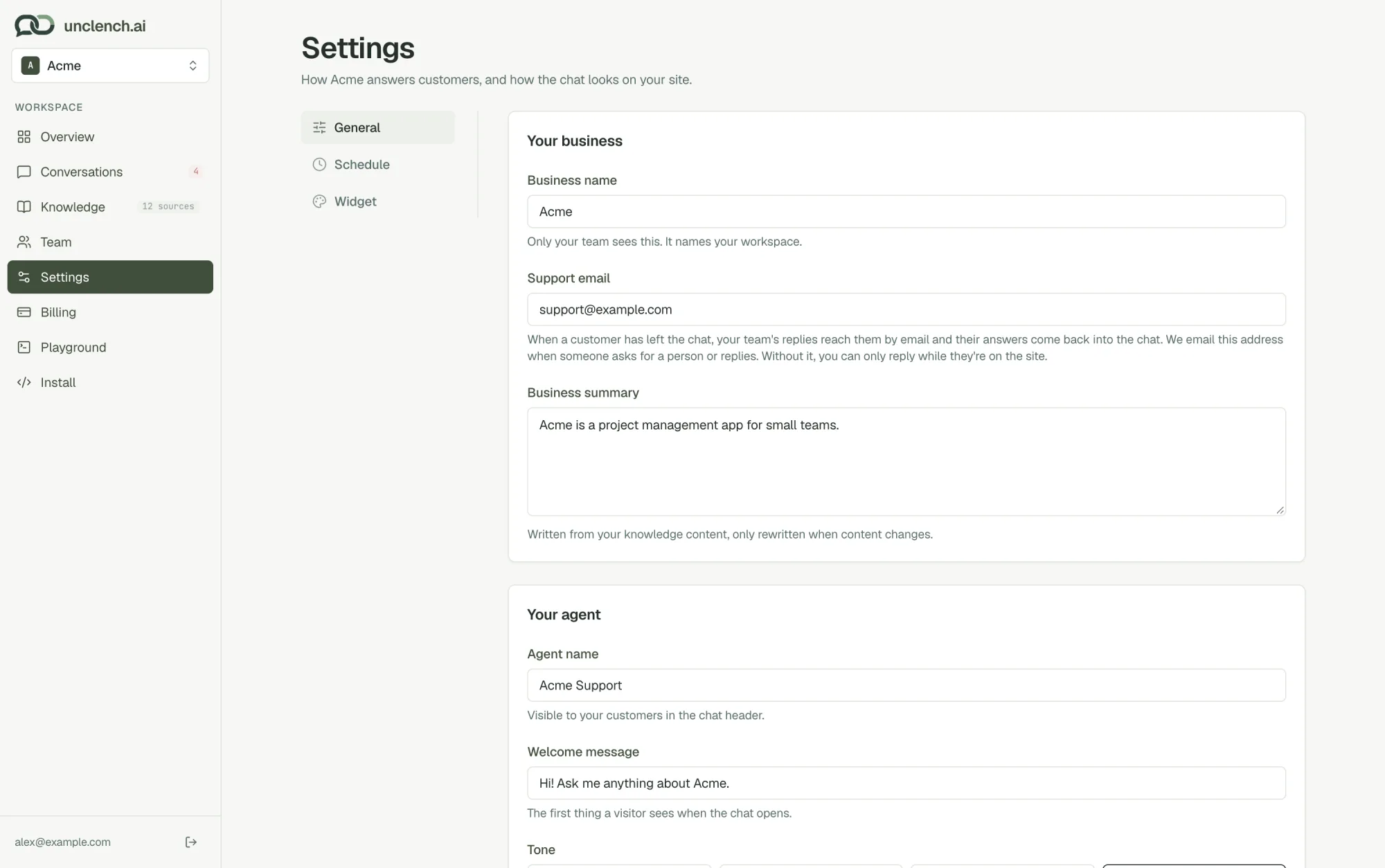
Your business
- Business name. Only your team sees this. It names your workspace.
- Support email. Where we email your team when a customer needs a person or replies by email. It’s also how customers who have left the chat get your replies. Without it, you can only reply while they’re still on your site.
- Business summary. A short description your agent uses for context. It’s written for you from your help content and updates when your content changes. If you edit it yourself, we stop rewriting it. Clear it to go back to the automatic version.
Your agent
- Agent name. Shown to customers at the top of the chat, for example “Acme Support”.
- Welcome message. The first thing customers see when they open the chat, and the message that pops up next to the chat button.
- Tone. How your agent writes:
| Tone | Style |
|---|---|
| Friendly | Warm and patient. |
| Professional | Clear and precise. |
| Concise | Short and direct. |
| Custom | Your own instructions. |
Choose Custom to write your own instructions, for example “Always answer in British English” or “Mention our 30-day guarantee when people ask about refunds”. Your agent still only states facts that are in your help content.
Try a change in the Playground before customers see it.
When your agent answers
By default your agent answers every message, day and night. If your team already handles chats during the day, set your team’s hours under Settings → Schedule and the agent covers only nights, weekends and days off. See Schedule.
When the agent hands over to your team
You don’t need to set this up. A chat is flagged for your team when:
- the customer asks for a person (“can I talk to a human?”), or chooses Escalate to support
- the answer isn’t in your help content
- the customer wants to cancel, or is clearly frustrated
- the customer rates a reply as not helpful
- the customer replies to one of your emails
See Conversations for what happens next.